Preheat oven to 350°F (175°C). Grease and line the bottoms of two 8-inch round cake pans with parchment paper.
In a medium bowl, whisk together the flour, baking powder, baking soda, salt, and cinnamon. Set aside.
In a large bowl, cream the butter, granulated sugar, and brown sugar until light and fluffy (2–3 minutes).
Add the eggs one at a time, mixing well after each. Stir in vanilla and mashed bananas until smooth.
Alternate adding the dry ingredients with the milk and sour cream, mixing just until combined—do not overmix.
Fold in the chopped walnuts using a spatula.
Divide the batter evenly between the prepared pans and smooth the tops. Bake for 25–30 minutes, or until a toothpick inserted in the center comes out clean.
Let the cakes cool in the pans for 10 minutes, then turn them out onto a wire rack to cool completely.
2️⃣ Make the Cream Frosting
In a medium bowl, beat the softened cream cheese and powdered sugar until smooth and creamy.
Add vanilla extract and slowly pour in the cold heavy cream.
Beat the mixture until stiff peaks form and the frosting holds its shape—this will create a light, whipped texture.
3️⃣ Assemble the Cake
Place the first cooled cake layer on a serving plate or cake stand.
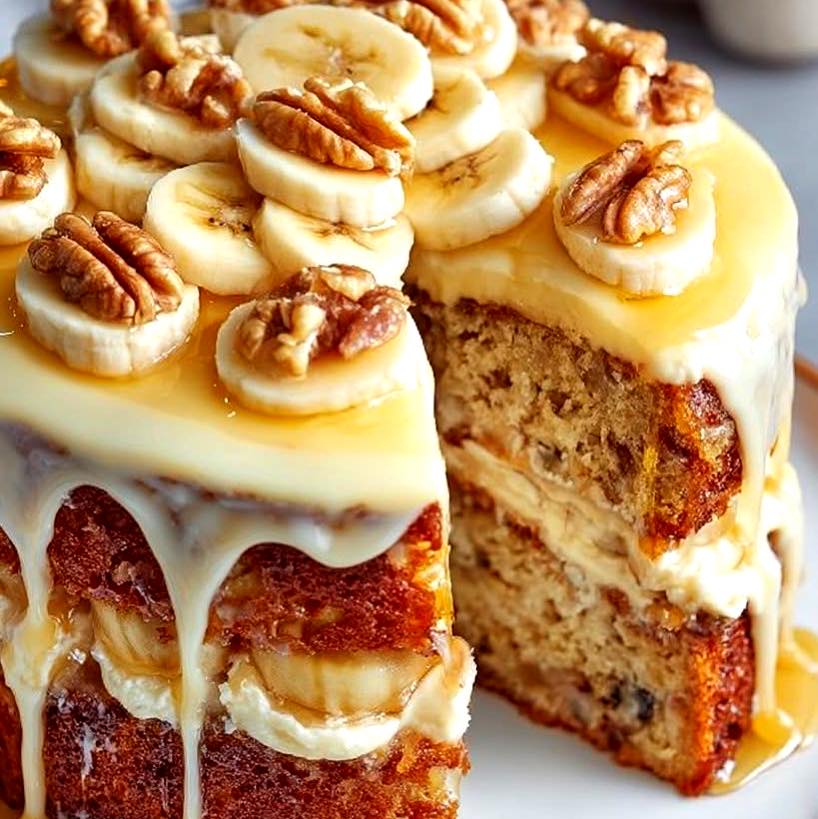
Spread a generous layer of whipped cream frosting on top. Add sliced bananas and a handful of chopped walnuts if desired.
Place the second cake layer on top and spread frosting over the top and sides of the cake.
Use an offset spatula to smooth the surface, or leave swirls for a rustic look.